 ParqHive
Search near your destination
Look by place, landmark, or city and browse the parking options currently available in that area.
Search nearby parking for a car or scooter, compare the listing details, and reserve or request a space for an errand, hourly, daily, long-term, or event use.
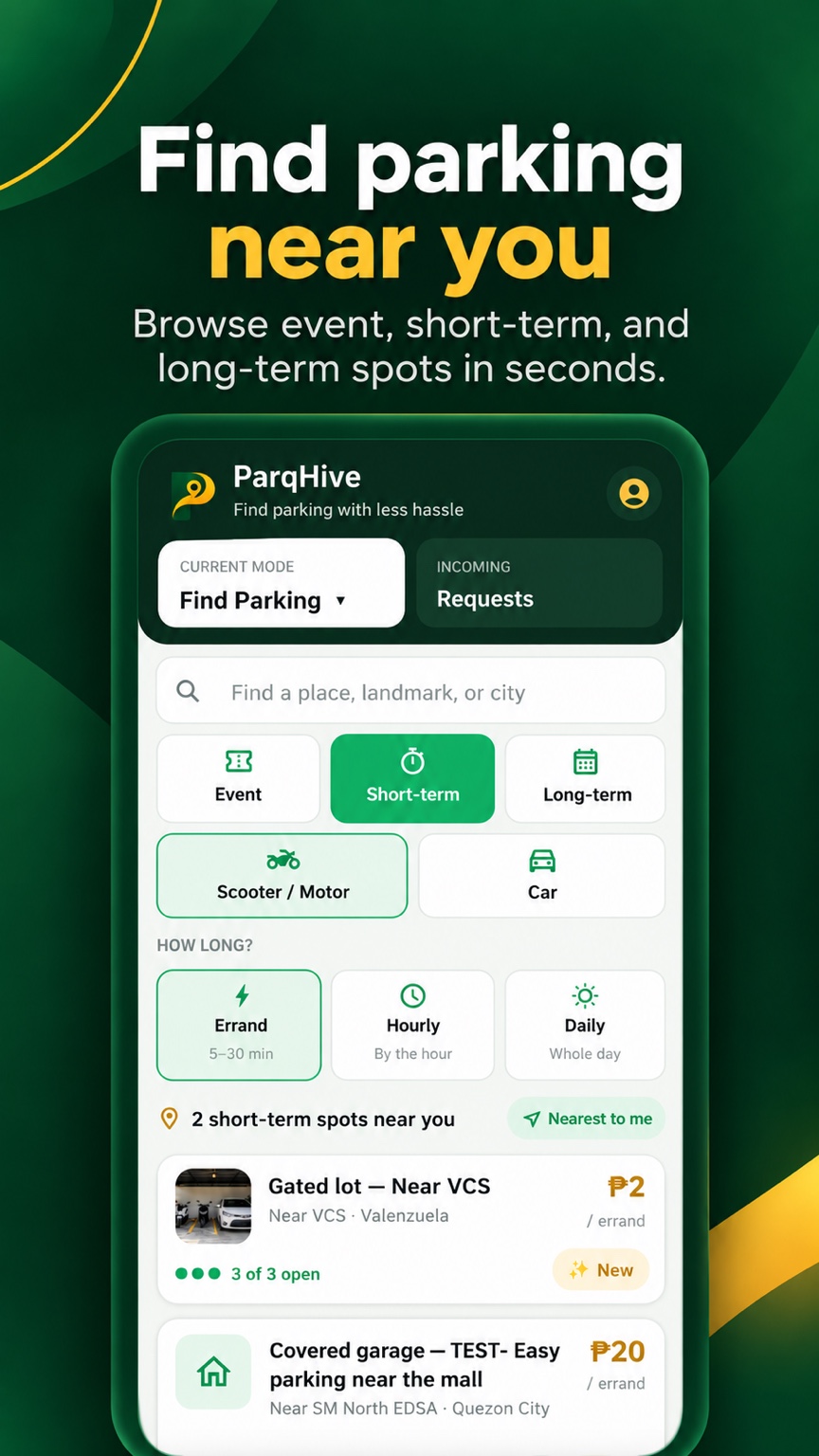
ParqHive helps you discover parking offered by nearby hosts and property owners, with the important details shown before you commit.
Look by place, landmark, or city and browse the parking options currently available in that area.
Filter for a car or scooter and choose the parking duration that matches your plans.
Coordinate with the host and pay them directly using the payment options they accept.
The app guides you through the basic details so you and the host know what to expect.
Some spaces may be available immediately, while others may require the host to review or confirm your request.
Save the vehicle type and plate details needed for a parking reservation.
Choose the area, parking type, duration, price, and available space that work for you.
Read the listing and host rules, then follow the confirmation steps shown in the app.
Follow the host’s access instructions and pay the host directly as agreed.
Available options depend on what local hosts have listed.
Look for errand, hourly, or daily spaces when you need parking for a shorter visit.
Review the host’s rules and send a request when you need a space for an extended period.
Browse spaces listed for concerts, celebrations, gatherings, and other special occasions.
A quick review can prevent confusion when you arrive.
No. Drivers and riders pay the host directly using the payment method they agree to use.
Yes. Choose the vehicle type in the app and browse listings that hosts have marked as compatible.
No. Confirmation depends on the listing, availability, and whether the host needs to review your request.
Do not continue if you are uncomfortable. Contact the host for clarification and use the reporting option available in the app when appropriate.
Explore the residential guide if you have a driveway or private parking space you would like to list.