 ParqHive
Park closer to the venue
Search near the event destination and review the available listings before traveling.
Find or offer parking for concerts, sports, celebrations, graduations, worship services, festivals, and other high-demand occasions—before the crowd arrives.
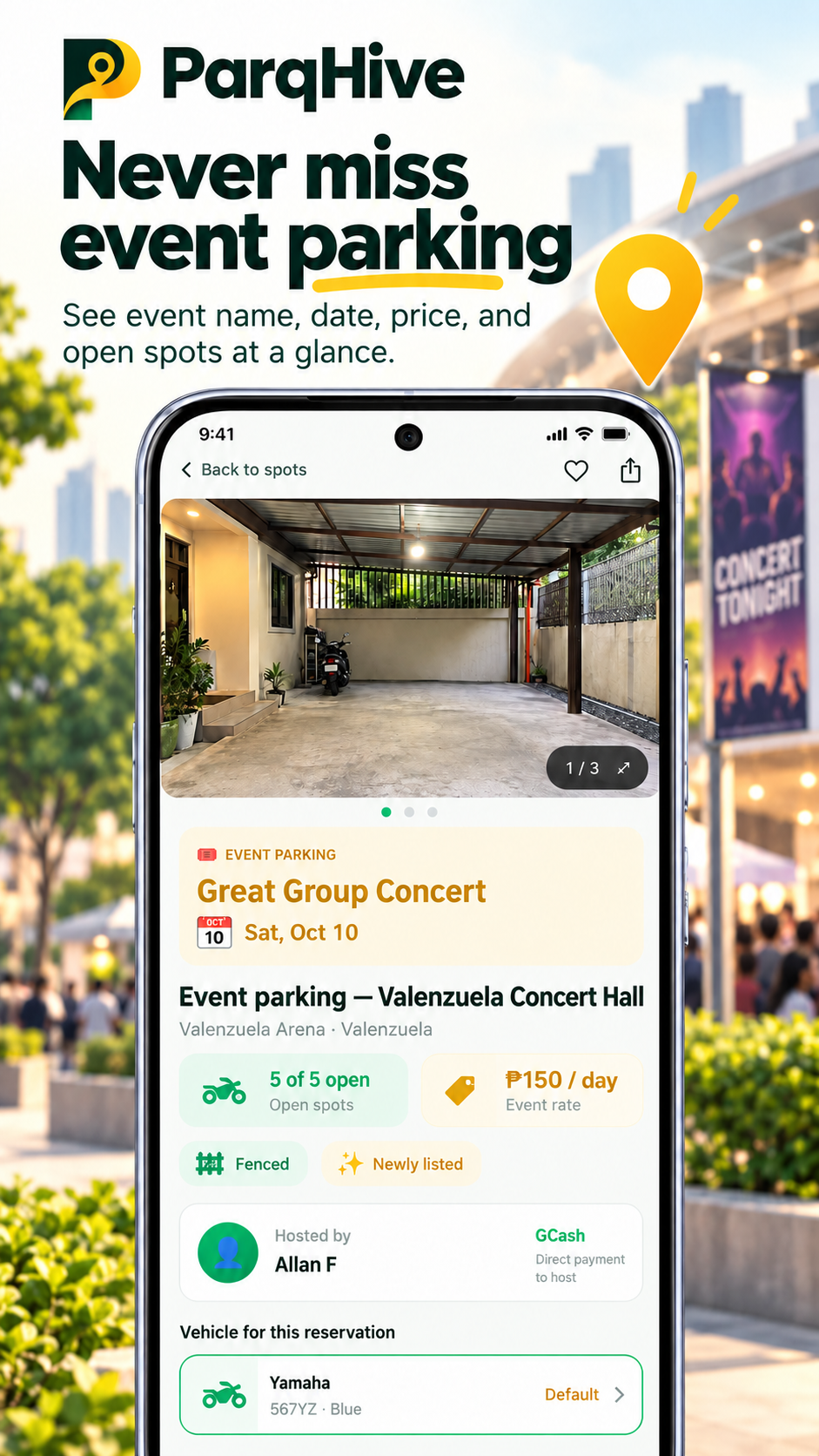
ParqHive connects people attending an event with nearby hosts, lot owners, and establishments offering spaces for cars or scooters.
Search near the event destination and review the available listings before traveling.
Review the event name, date, price, open spaces, vehicle type, and host instructions.
Nearby residents, businesses, and lot owners can open unused spaces and set their own rate.
Hosts publish a space for the occasion. Drivers search the event category, review the listing, and follow the reservation steps shown in the app.
Availability and confirmation can vary by listing. Drivers should confirm their reservation status and arrival instructions before heading to the event.
The host adds current photos, capacity, accepted vehicles, the event name and date, price, and instructions.
The driver chooses Event parking and searches near the venue, landmark, or city.
The driver checks the listing details and completes the confirmation process shown in the app.
The driver follows the host’s directions and pays the host directly using the agreed method.
Event listings can help organize parking demand around public destinations and private gatherings.
Help attendees find nearby parking for concerts, music festivals, games, matches, and arena events.
Support parking for weddings, birthdays, reunions, graduations, and other private gatherings.
Offer spaces for worship services, school activities, fiestas, night markets, fairs, and local festivals.
Accurate information helps hosts, drivers, and venue staff avoid confusion when traffic is at its busiest.
Yes. Choose the Event listing type and provide the event name, date, parking details, price, and availability requested by the app.
Yes. Hosts identify the vehicle types they can accommodate, and drivers choose the appropriate vehicle when searching.
No. Listings may be at or near the destination. Drivers should review the exact listing details, location, rules, and reservation status before traveling.
The driver pays the host directly using the agreed payment method. ParqHive does not hold the payment or take a commission from the parking price.
See how a business can publish parking details, manage availability, and connect with customers and visitors.